
How to take Screenshot on Samsung Galaxy S21 5G Ultra
How to save screenshots in the Gallery of Samsung Galaxy S21 5G Ultra? How to take screenshot on Samsung Galaxy S21 5G Ultra? How to capture the screen in Samsung Galaxy S21 5G Ultra? How to save the screen on Samsung Galaxy S21 5G Ultra?
The easiest way to capture the screen is in Samsung Galaxy S21 5G Ultra. After saving the screens you will be able to edit/share/delete captured screens in Android 12 Gallery.
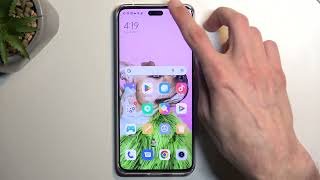
How to screenshot on Samsung Galaxy S21 5G Ultra?
First Method:
- Firstly, choose the screen that you want to capture.
- After that, hold down the Volume Down and Power keys for a few seconds.
- Great! Your screenshot has been saved in the Gallery.
Second Method:
- Firstly, move to the Settings and Advanced features.
- In the second option, open the Motions and gestures.
- Choose on the Palm swipe to capture the slider.
- Capture the screen to save.
- To take a screenshot, swipe the edge of your palm from the left side of the screen to the right.
- Congratulations! The screenshot should be in your Gallery.
Voice method by Bixby:
With the SAMSUNG Bixby service, you can take a screenshot using voice command.
- In the beginning, make sure Voice wake-up is enabled.
- Secondly, select the screen that you want to save.
- Now say “Hi, Bixby”.
- Then you should say “Take a screenshot”.
- Perfect! The screenshot should be in your Gallery.
Scroll Capture Option:
When you want to capture a larger part of a page or application, you can use Scroll Capture.
- First, pick the screen to keep.
- Push Volume Down and Power key for a while.
- Press on the Scroll Capture icon a few times.
- When you have all the content you want, stop tapping the icon.
- Nice! Now you learned how to use the Scroll Capture.
- Your screenshot will be in the Gallery.




9 thoughts on “How to take Screenshot on Samsung Galaxy S21 5G Ultra”
Another dangnhapbj88 mirror site, huh? Either way, finally logged in! Just double-check your link is the official one. dangnhapbj88
V88 club, fala a verdade, quem não gosta de um lugar VIP? Esse clube tem tudo pra te fazer sentir o sheik! Joguei e aprovei! Conheça o v88 club.
Finally, an iOS app that actually works! 88vinproios is smooth, reliable, and doesn’t drain my battery. Grab it here: 88vinproios.
Strayjuego’s got a cool vibe. The graphics are nice, and the games are pretty engaging. If you looking for new place, click here: strayjuego
Yo, been trying to get into my pkr777 account and using pkr777login to get access. Seems to work alright. Hope it helps you too if you are looking for an alternative way to log in. pkr777login
Downloaded the lounge777app. It’s pretty chill if that’s your thing. Take a peak: lounge777app
bet43…hm, not my favorite, but it works. Just feels a bit outdated to me. Others might like it though, who am I to judge? Decide on it at bet43.
Been messing around on jw7game recently. Got to say, I’m impressed. They have a great selection of different titles and I haven’t experienced any problems with the platform yet. Definitely worth checking out! Get in the game at jw7game!
33ww, huh? It’s… interesting. Not my cup of tea entirely, but might be yours. Worth a peek if you’re looking for something different. Tap here: 33ww.