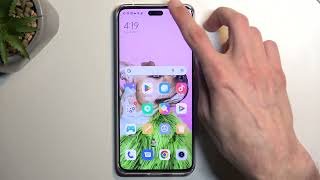
How to take Screenshot on OnePlus 8 Pro?

How to take Screenshot on OnePlus 8 Pro?

How to capture screen in OnePlus 8 Pro? How to save screen in OnePlus 8 Pro gallery? How to take screenshot in OnePlus 8 Pro?

The easiest way to capture the screenshot in OnePlus 8 Pro. After saving the screens you will be access to edit, share, and delete captured screens in the Android 10 Gallery.

How to screenshot on OnePlus 8 Pro?

  1. Initially, select the screen that you want to capture.
  2. After that push Volume Down + Power key for a few seconds.
  3. Let go of these keys when the screen flashes or you hear a shutter sound.
  4. Congratulations!

Leave a Comment

Your email address will not be published. Required fields are marked *

Share:

Recent Solutions

How to Unlock Samsung Galaxy Note5?

/*! elementor – v3.16.0 – 09-10-2023 */ .elementor-heading-title{padding:0;margin:0;line-height:1}.elementor-widget-heading .elementor-heading-title[class*=elementor-size-]>a{color:inherit;font-size:inherit;line-height:inherit}.elementor-widget-heading .elementor-heading-title.elementor-size-small{font-size:15px}.elementor-widget-heading .elementor-heading-title.elementor-size-medium{font-size:19px}.elementor-widget-heading .elementor-heading-title.elementor-size-large{font-size:29px}.elementor-widget-heading .elementor-heading-title.elementor-size-xl{font-size:39px}.elementor-widget-heading .elementor-heading-title.elementor-size-xxl{font-size:59px} How to Unlock Samsung Galaxy Note5? Samsung Galaxy Note5 How to

Popular Tutorials

Send Us A Message

Scroll to Top