
How to take Screenshot on SAMSUNG Galaxy Note5?
How to take screenshot on SAMSUNG Galaxy Note5? How to capture screen in SAMSUNG Galaxy Note5? How to save screen on SAMSUNG Galaxy Note5?
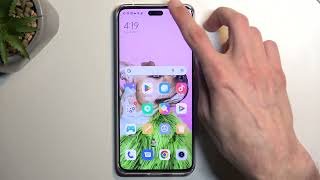
The simple methods to capture the screen in SAMSUNG Galaxy Note5. After saving the screens you will be able to edit/share/delete captured screens in Android 5.1 Lollipop Gallery.
How to screenshot on SAMSUNG Galaxy Note5?
First Method:
- First, select the screen you want to record.
- Then click the Volume Down + Power button.
- A shutter sound is heard or the display flashes.
- Wonderful! A screenshot appears in his SAMSUNG gallery.
Second Method:
- On the screen you want to save, press and hold the Power and Home buttons at the same time for a second.
- The screenshot is saved in the Gallery folder.




9 thoughts on “How to take Screenshot on Samsung Galaxy Note5”
Peso789casinologin, never have issues logging in, which is a plus. Site’s pretty straightforward too. It’s pretty hassle-free you wont have any problems. Check it now peso789casinologin.
If you’re looking for a discreet and reliable way to access Fun88, fun88ninja is the way to go. Fast access and smooth gameplay are guaranteed! Check it out: fun88ninja.
nv8casino looks like a good new option. The design is clean and modern, and they seem to have a good variety of slots. Going to give it a try! Find it at nv8casino.
Yo rummy heads! Just tested out rummynabob41. The app’s fast and the gameplay is solid. If you’re looking for a quick rummy fix, give it a whirl. You can download it from rummynabob41!
Pusoy is fire, good old card game with a twist! Great to chill and test skills. Hit the site pusoy.
Yo, f8pet has some pretty damn cool slots and the site looks sick. Give it a check, it’s legit. Look at this link f8pet.
Okay, 888rioapp, you have my attention. The app looks slick, and I’ve heard the payouts are pretty fast. Downloading now, wish me luck! Fingers crossed for some quick wins. You can find the app at 888rioapp
Gave 212betapp a whirl. Honestly? Not bad. The mobile experience is smooth, and the promotions are actually decent. Worth a look if you’re in the market for a new betting app. See for yourself: 212betapp
Aviator1win, I’ve heard buzz about this one! Seems pretty hyped. Is it any good at all? Let’s see if the hype is real! Check it out here: aviator1win